1. Terminal
Real text terminal: Includes only a screen (NOT TO BE CALLED "MONITOR" AS FOR TODAY'S COMPUTER), keyboard, and a small memory to store a screenfull text (ONLY A FEW KILOBYTES). Keyboard is plugged to screen, which is further wired to the serial port of computer with a long cable.
Terminal emulation: An emulated real text terminal created by computer software and classfied as virtual terminal and pseudo terminal.
Virtual terminal or console: The command line interface seen after the boot of Linux system. By default, seven virtual terminals are available and can be switched using [CTRL]+[Fn] (n: 1-7). The 7th virtual terminal is reserved for X-windows system and the rest are for textual Shells.
Pseudo terminal: A pseudo-device pair that provides a text terminal interface without associated virtual console, computer terminal or serial port hardware. Its applications include terminal emulator and remote login handler.
Terminal emulator: Xterm, Konsole and alike on X windows systems, which serve as master device (/dev/ptmx) while Shell serves as slave device(/dev/pts/N)
Remote login handler: SSH and Telnet, which serve as master device (/dev/ptmx) while Shell serves as slave device(/dev/pts/N).
2. Console: The monitor and keyboard on today's computers or the real text terminal on old time computers.
3. Shell: A utility program resides on hard disk, by default the first program to start after a user log onto the system, and classfied as login shell, interactive shell and conventional shell.
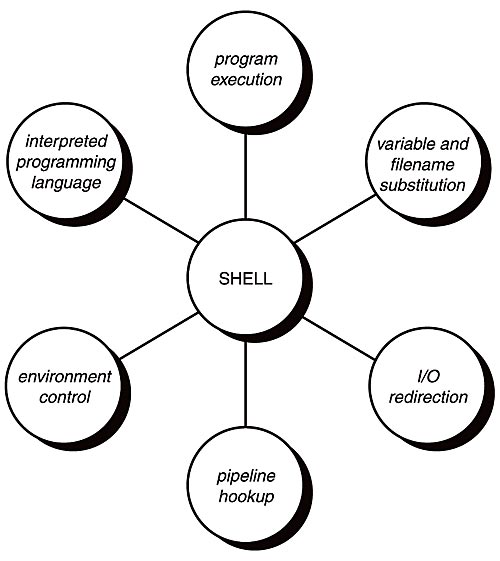 Interactive, login shell: The shell reads these files in sequence: (system wide) /etc/profile; (per user) ~/.bash_profile; ~/.bash_login; ~/.profile; (when logout) ~/.bash_logout.
Interactive, non-login shell: The shell reads these files in sequence: (per user) ~/.bashrc; (when exit) ~/.bash_logout.
Non-interactive, login shell: The shell reads these files in sequence: (system wide) /etc/profile; (per user) ~/.profile; (when logout) ~/.bash_logout.
Non-interactive, non-login shell: The shell starts by executing $BASH_ENV and exits with reading ~/.bash_logout.
4. Login Process: For wired connection, init-> getty -> login-> first program to run, usually Shell; for network connections, init -> sshd, telnetd, or rlogind -> login -> first program to run, usually Shell.
References:
1. Text Terminal HOW-TO
2. Pseudo Terminal Master/Slave
3. What is Unix Shell?
4. How Environment Variables Really Work?

